
Your events on your website
Whatever you create in Churchpoint can also appear on your own website. You maintain events in one place, and the list updates itself. There are three ways: an iframe, a WordPress plugin and a calendar subscription.
What it looks like
This is the real event list of Christuskirche Berlin Mitte, embedded as an iframe.
Event list as an iframe
The iframe fits any website where you can paste HTML: WordPress, Jimdo, Wix, Squarespace or self-built. It shows your upcoming events with date, time and place. Clicking an event opens the sign-up on Churchpoint.
You find the ready-made snippet with your ID in the app: More → Settings → Events on your website → Copy
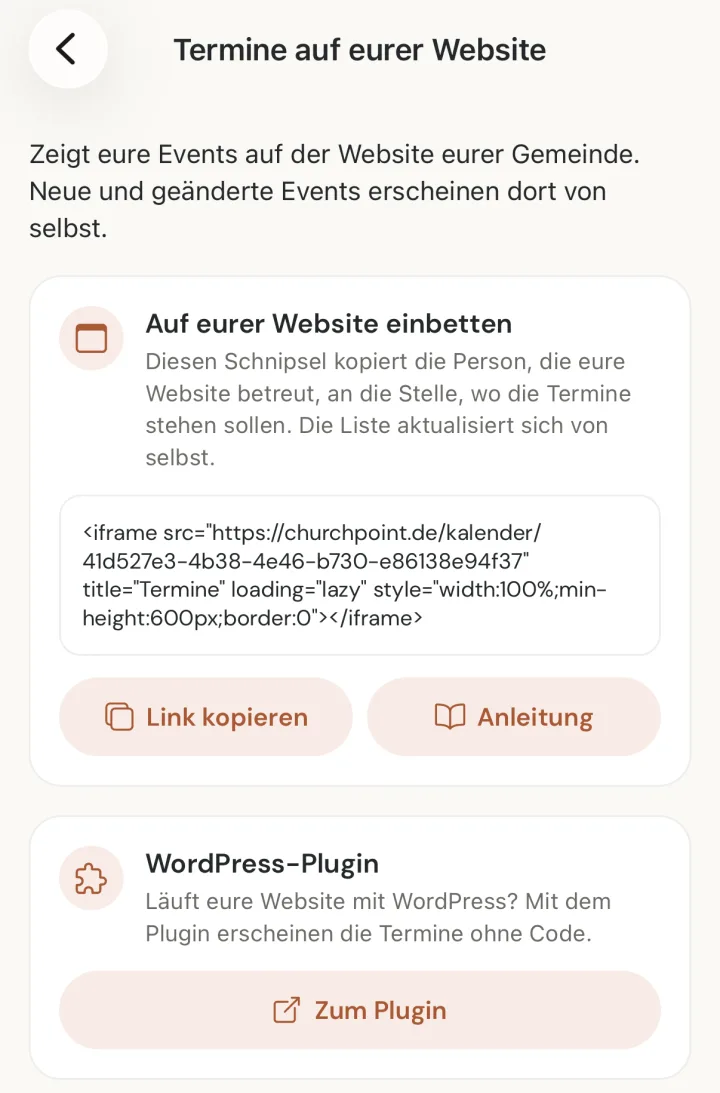
<iframe src="https://www.churchpoint.de/kalender/EURE-ID" title="Termine" loading="lazy" style="width:100%;min-height:600px;border:0"></iframe>EURE-ID stands for your organiser ID. With ?anzahl=5 at the end of the address, the list shows only the next five events. Without it, you get 20, at most 50.
WordPress plugin
There is a dedicated plugin for WordPress. It shows the events in the design of your website, without an iframe.
How to install it
- In WordPress, go to Plugins → Add New → Upload Plugin, choose the ZIP file and install it.
- Activate the plugin.
- Under Settings → Churchpoint Kalender, enter your organiser ID. It is in the snippet from the app.
- On a page, insert the shortcode or choose the block “Churchpoint Kalender”.
[churchpoint_kalender id="EURE-ID" anzahl="10"]The plugin fetches the events on the server of your website. Your visitors load nothing from Churchpoint.
Calendar subscription
With the subscription, your events appear in Google Calendar, Apple Calendar or Outlook. New and changed events are added automatically, cancelled ones stay marked as cancelled.
https://www.churchpoint.de/kalender/EURE-ID.icswebcal://www.churchpoint.de/kalender/EURE-ID.icsGoogle Calendar
On a computer, open calendar.google.com. Next to “Other calendars” on the left, click the plus, choose “From URL” and paste the subscription address.
Apple Calendar
On the iPhone, open the webcal address in Safari and confirm the subscription. On a Mac, in Calendar: File → New Calendar Subscription, paste the address.
Outlook
In Outlook on the web: Calendar → Add calendar → Subscribe from web, paste the subscription address.
How often a subscribed calendar reloads is up to the calendar app. Google often needs several hours.
Privacy
The iframe loads only from churchpoint.de, nothing from other providers. It sets no cookies and contains no tracking. As with any website, our server sees the technical access data of your visitors, such as the IP address. The plugin fetches the events on your server, so nothing from Churchpoint is loaded in your visitors’ browsers at all.
JSON for developers
The same events are available as JSON: https://www.churchpoint.de/kalender/EURE-ID.json
Fields per event: titel, beginn, ende, ort, adresse, preis, waehrung, kategorie, link, bild, abgesagt
Times in UTC. CORS is open, any website may fetch the JSON. Responses are cached for up to 15 minutes.